
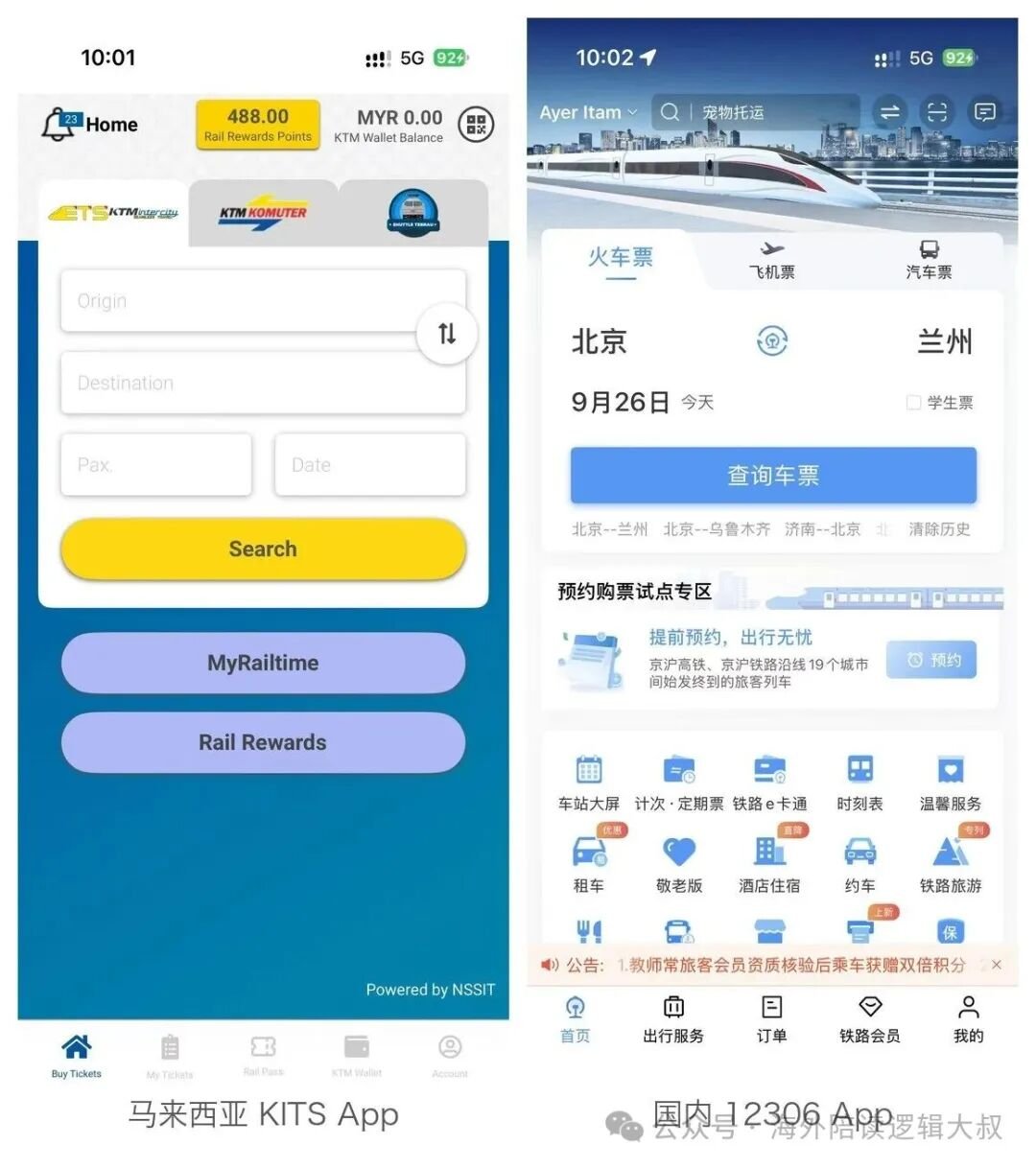
KTMB long-distance tickets are sold only on the official KITS system: seats open up to 60 days ahead and boarding is a phone QR code. Refunds are tiered at 75% beyond 72 hours before departure, 50% within 2 to 72 hours, nothing nearer, and money goes only to KTM Wallet, with no date changes.
Crossing the Malaysian peninsula by rail — Kuala Lumpur to Penang or Ipoh, or north towards the Thai border — the most comfortable option is the ETS (Electric Train Service). And wherever you start, every ticket funnels into one system. This post walks through my own booking and refund experience, focusing on the parts that defy expectations.
1. Meet KITS: website and app are the same system
KTM (Keretapi Tanah Melayu, Malaysia's railway company) sells its reservable tickets through a system called KITS (KTMB Integrated Ticketing System): the web portal is online.ktmb.com.my, and the mobile app is called KITS Style. Both share one account and the same features. My recommendation: book on the website, use the app for timetables and showing tickets — its store ratings have long been poor, but browsing schedules and pulling up e-tickets works fine.
Sign-up needs an email, or you can link a Google / Facebook account. Foreigners should register with the romanized name exactly as printed in their passport, and passenger details must match too — conductors occasionally check IDs against tickets, and a mismatch makes trouble. Third-party platforms like Easybook and 12Go also resell ETS tickets, but they may not show every fare class and any refund or change has to go back through that channel, so I stick to the official one.
2. The booking flow: five steps to a ticket
- Pick origin, destination and date. Tickets go on sale 60 days in advance. For Hari Raya, Chinese New Year and school holidays, popular trains effectively sell out right at release — book the moment the window opens.
- Pick a train. The code in front of each service marks its class: EP is Platinum (fewest stops, fastest), EG is Gold, ES is Silver.
- Pick seats. A seat map lets you click a coach and specific seats, so groups can stay in one row.
- Enter passenger details. Names and ID numbers must match the passport. Children aged 4–11 ride at roughly half fare, under-4s travel free, and seniors over 60 get a discount.
- Pay. Credit/debit cards, FPX online banking, Touch 'n Go eWallet, Boost, DuitNow QR and the KTM Wallet are all accepted; everything is priced in ringgit (RM).
Once payment clears, the e-ticket appears instantly in "My Ticket" on both the site and the app, with a copy emailed to you.
Friday and Sunday services around school holidays and public holidays often sell out within days of release. The 60-day window rolls forward daily, so buying on release day is the safest bet.
3. Fares and classes: dynamic pricing
ETS uses dynamic pricing: the same seat is cheaper the earlier you book, and clearly more expensive on weekends and public holidays. For reference, a standard-class one-way from KL Sentral to Butterworth (across the water from Penang) runs roughly RM59–85 depending on the day. The three classes work like this:
| Class | Code | Character | Price level |
|---|---|---|---|
| Silver | ES | Most stops, slowest overall | Lowest |
| Gold | EG | The mainstream choice with the most departures | Mid |
| Platinum | EP | Fewest stops, fastest; some sets carry a Business coach | Highest |
One rule that's easy to miss: bicycles are not allowed on board the ETS and intercity trains — unlike rail practice in many countries, so cyclists need a plan B.
4. Using the e-ticket: there is no collection step
This is the most counter-intuitive part — there is nothing to collect. After payment, your QR code sits in My Ticket in the app (a PDF also arrives by email). At the station you scan the phone screen at the gate and walk straight down to the platform. No paper, no ticket machines.
Two practical tips: first, screenshot the QR code in advance, since station signal is not always reliable; second, budget extra time — KTMB suggests arriving 30 minutes early for security and the gates, and the gates close 5 minutes before departure. Once they close, you're locked out and the ticket is effectively gone.
5. Refunds: tiered by time, credited only to the KTM Wallet
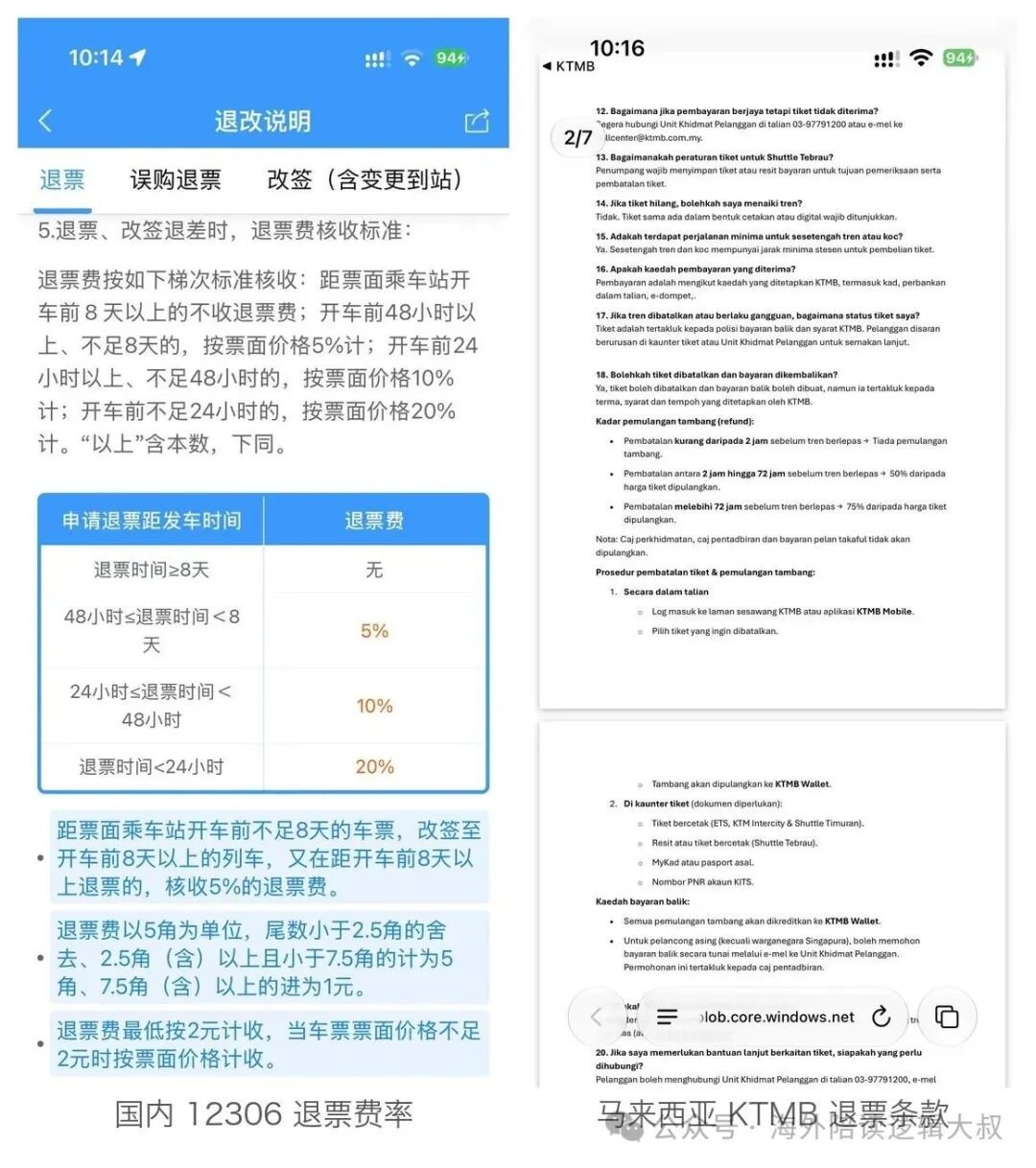
Refunds are fully self-service on KITS: My account → My Ticket → tick the journey → Refund, and it takes effect immediately. The percentage depends on how far ahead of departure you cancel:
| When you cancel | Refunded |
|---|---|
| More than 72 hours before departure | 75% |
| 2–72 hours before departure | 50% |
| Close to departure (last ~2 hours) | Nothing |
The truly unusual part is where the money goes: not back to your card, but instantly into the in-app KTM Wallet. Your money is effectively locked inside the KTM ecosystem — you can spend it on your next booking, but that is about the only way to use it. Also note the Wallet has a RM10 minimum top-up, and a single transaction cannot mix payment methods — if your balance falls short, you cannot pay "Wallet + card"; you have to top up first.
6. Changes: they don't exist — cancel and rebook
KITS has no date-change or exchange function at all. To travel at a different time there is exactly one route: refund under the tiers above, then buy a new ticket. Since a refund costs you 25% or 50%, and the new fare may be higher under dynamic pricing, act as early as possible once plans shift. If you only mistyped a name or ID number, contact customer service or a station counter promptly — don't gamble on sorting it out onboard.
In retrospect, the system's logic is to keep things simple and deterministic: fares float, refunds stay in its own wallet, exchanges don't exist — yet seat selection is visual, the e-ticket flow is smooth, and a refund takes a minute. Once you're used to it, it feels efficient; just be sure of your dates before you tap pay.
Frequently asked questions
Do I need to collect a paper ticket when booking KTMB online?
No. After payment your QR e-ticket appears in My Ticket in the app; just scan your phone at the gate. There is no paper step.
Can I change my KTM train ticket to another date?
No. KITS has no exchange function — you must refund under the tiered rules and book a new ticket.
Where does a KTM refund go?
Only into the in-app KTM Wallet, instantly. It is not returned to your credit card or bank account.
How far in advance do KTMB tickets go on sale?
60 days ahead. Popular holiday services often sell out within days, so buy on release day.