
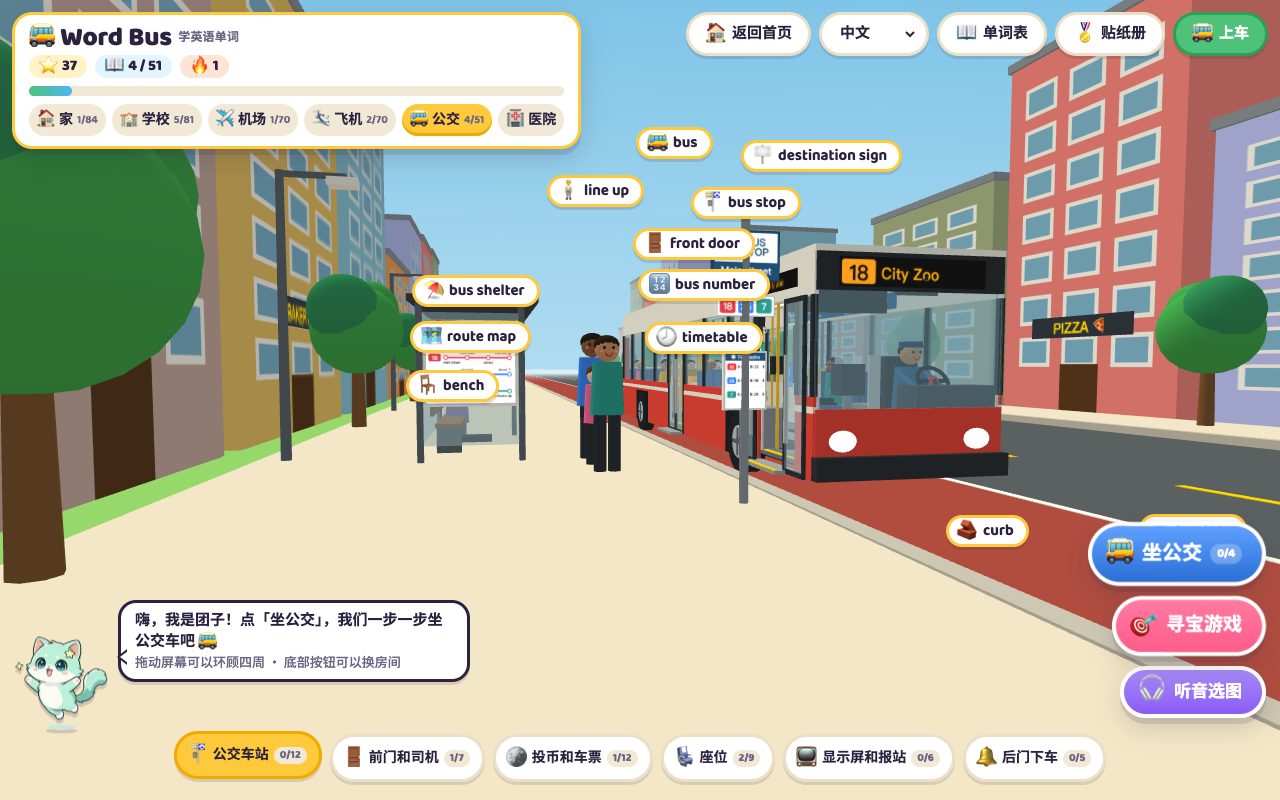
The Bus scene in Word World has 51 words and an 11-step ride: read the route map, check the destination sign, ask the driver, ask the fare, work it out from the fare chart, pay the exact coins, take the ticket, pick a seat that is not a priority seat, listen to announcements, press the bell when the next stop is yours and get off at the back. A ride takes 3–5 minutes.
In an English-speaking place, riding a bus is probably the first real task a child can complete on their own in English: read the stop, ask the driver, work out the money and get off at the right stop. The Bus in Word World breaks that into 11 steps so the child can do the whole ride on screen first.
1. Six areas, 51 words
| Area | Words | Examples |
|---|---|---|
| Bus stop | 12 | bus stop, bus shelter, timetable, route map, destination sign |
| Front door and driver | 7 | front door, get on, driver, steering wheel, ramp |
| Fare and ticket | 12 | fare, fare chart, fare box, exact fare, ticket |
| Seats | 9 | seat, priority seat, hand strap, pole, wheelchair space |
| Display and announcements | 6 | display screen, next stop, announcement, last stop, transfer |
| Back door | 5 | back door, stop button, stop requested, get off, watch your step |
These words mean little on their own and a lot inside a ride, so in this scene I suggest starting with the mission.
2. Starting the ride: pick a destination
Tap the blue Ride the bus button and choose one of four places: City Zoo, Museum, Library or Beach. A row of 11 step icons then appears at the top of the panel and lights up as the ride goes on.
3. The 11 steps
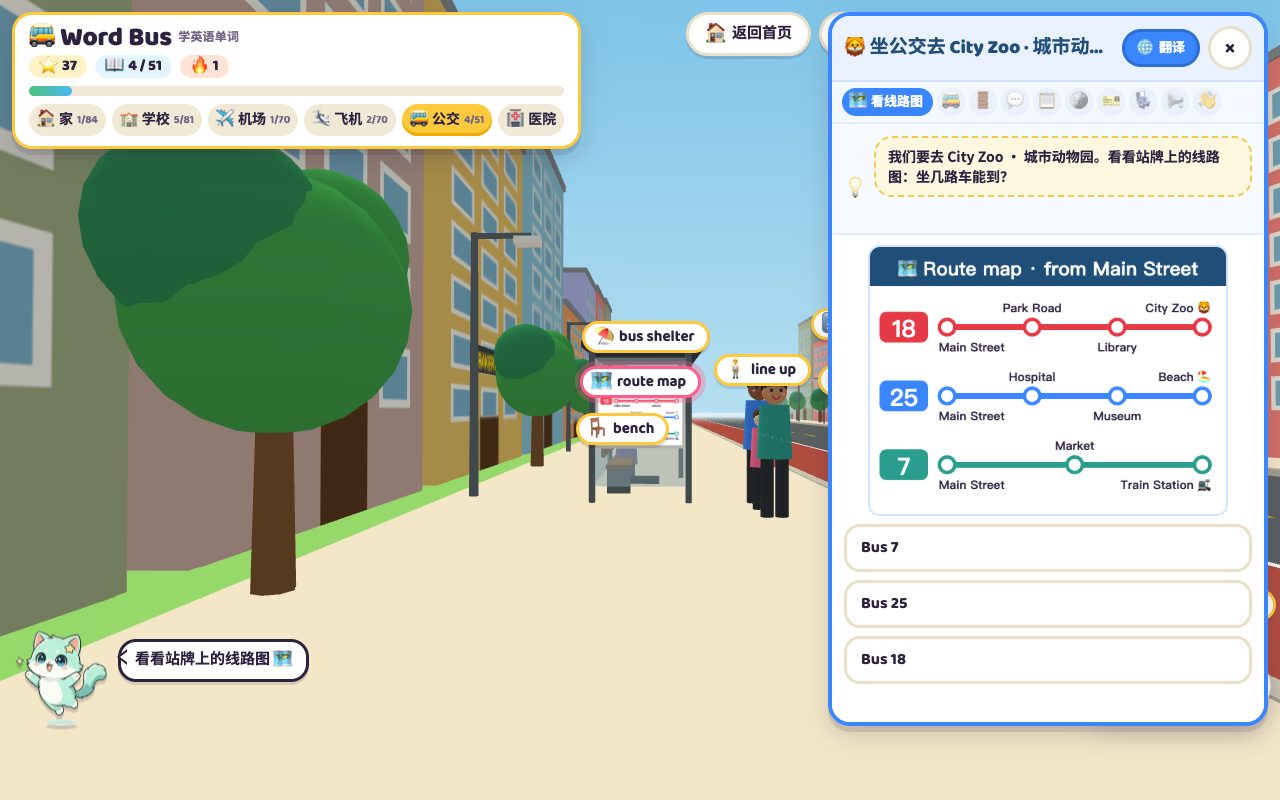
- Read the route map: the stop shows routes 18, 25 and 7, and the child finds which one passes the destination. The zoo is on route 18, the beach on route 25.
- Wait while buses pull in one after another.
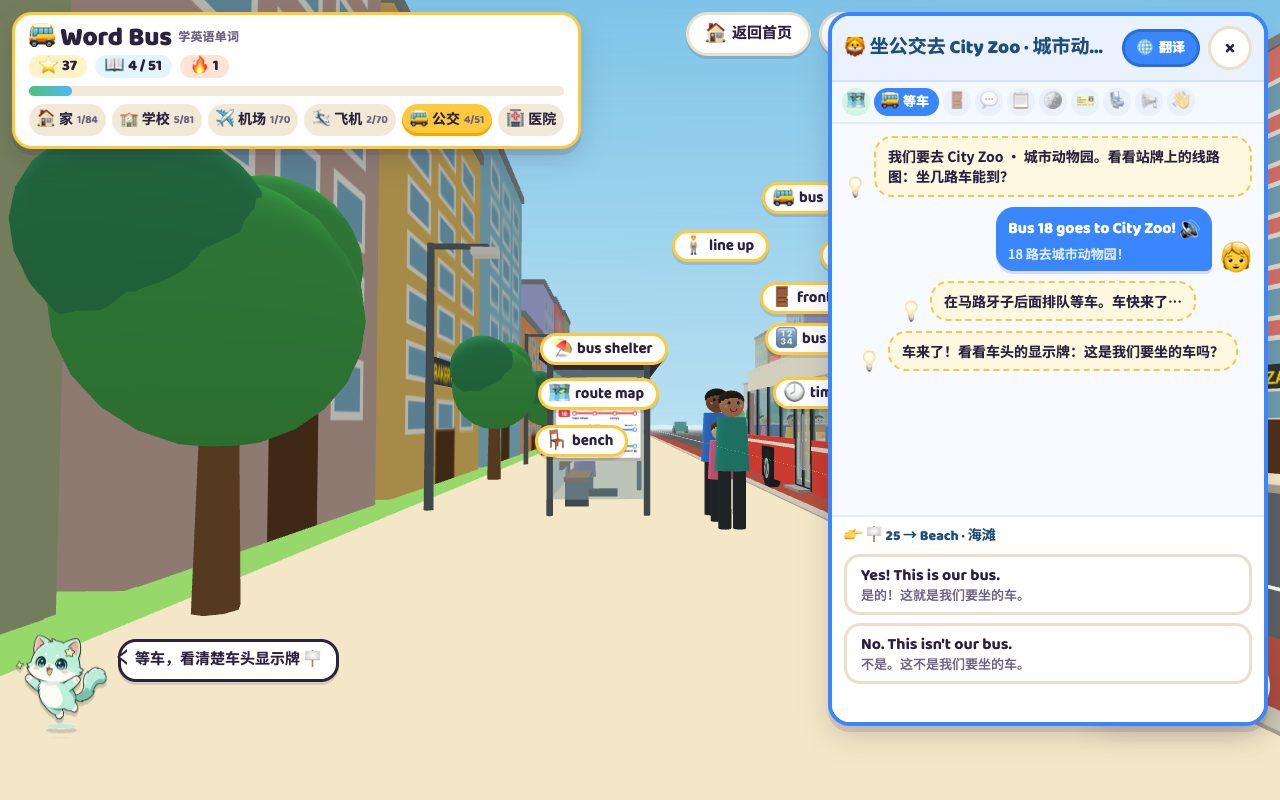
- Check the destination sign: the bus that arrives may not be ours. If the front says 25 → Beach and we are going to the zoo, the answer is No. This isn't our bus., and we keep waiting. This is the step that tests children most.
- Get on at the front door.
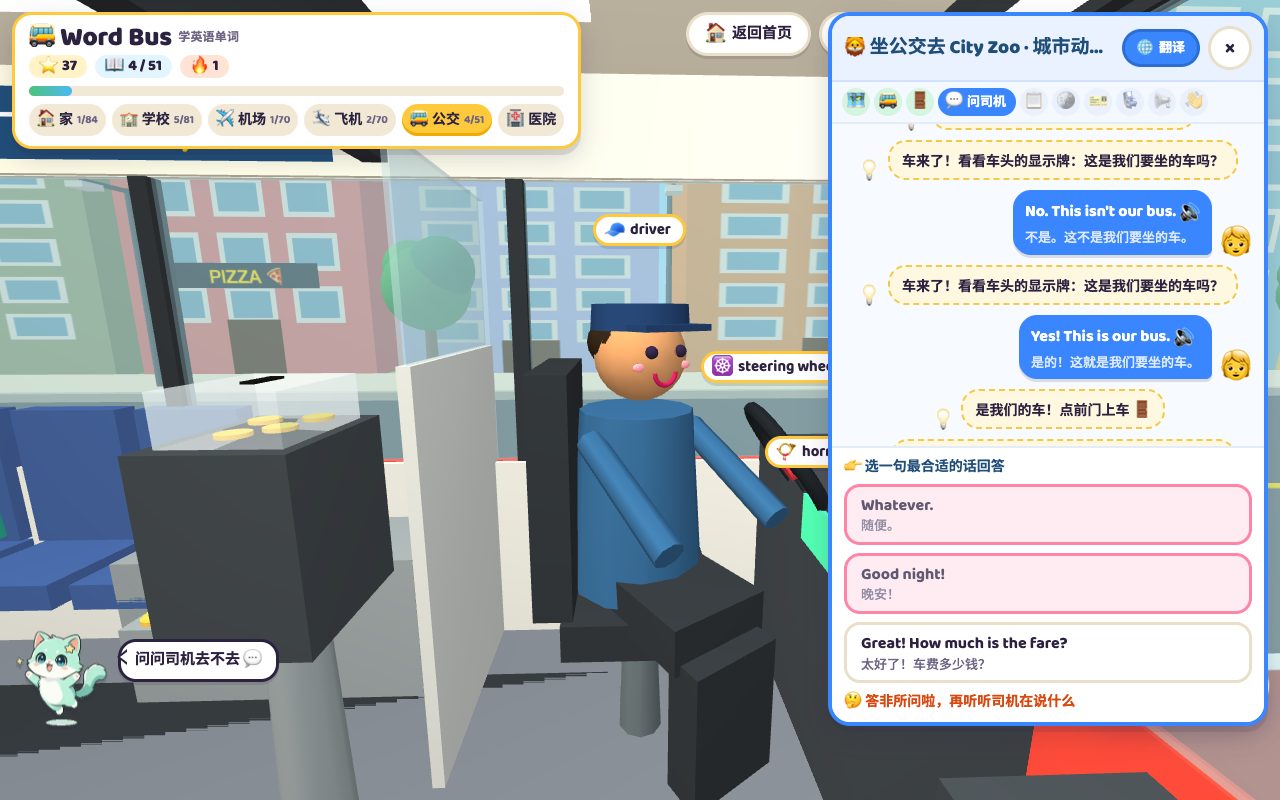
- Ask the driver: pick Hi! Does this bus go to City Zoo? rather than City Zoo. Hurry up!
- Ask the fare: pick How much is the fare? and the driver points to the fare chart.
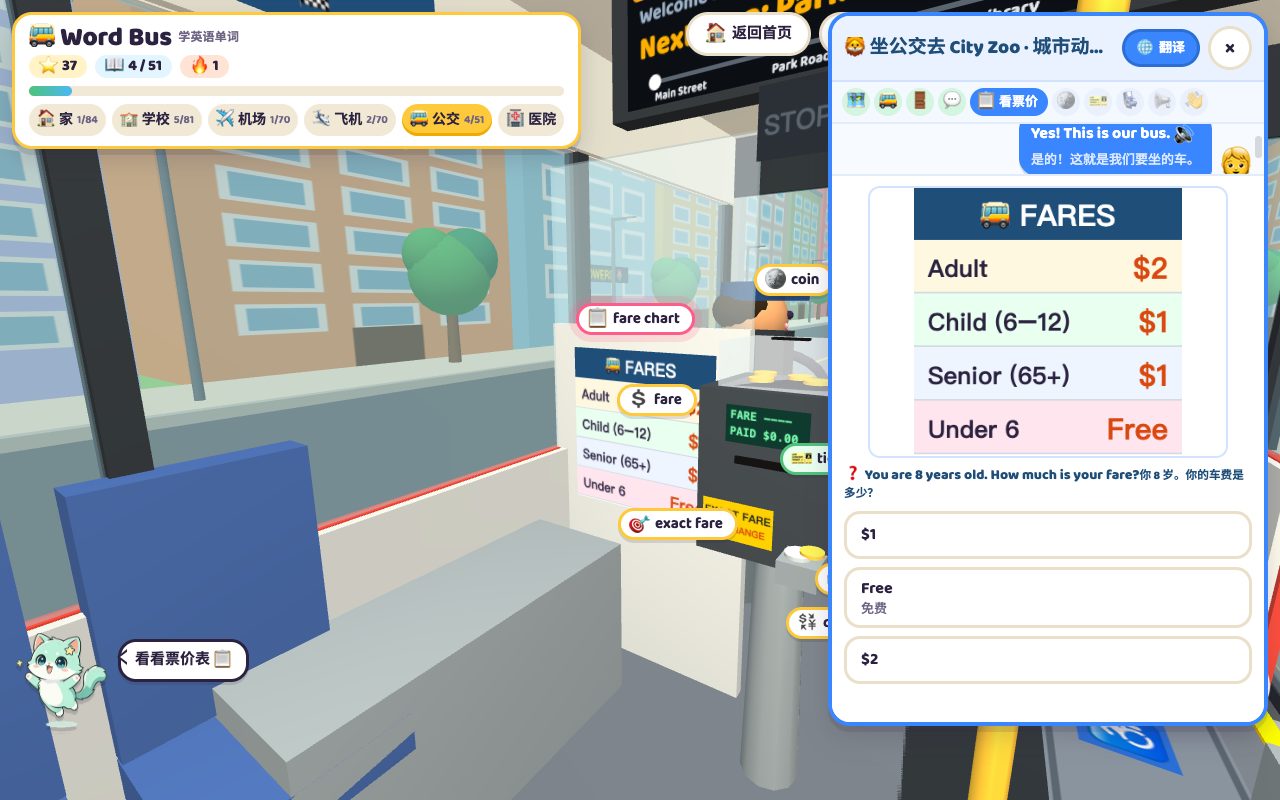
- Work out the fare: the chart says Adult $2, Child (6–12) $1, Senior (65+) $1, Under 6 Free. The question changes, for example: you are 8 and Grandma is 70 — how much do you pay together?
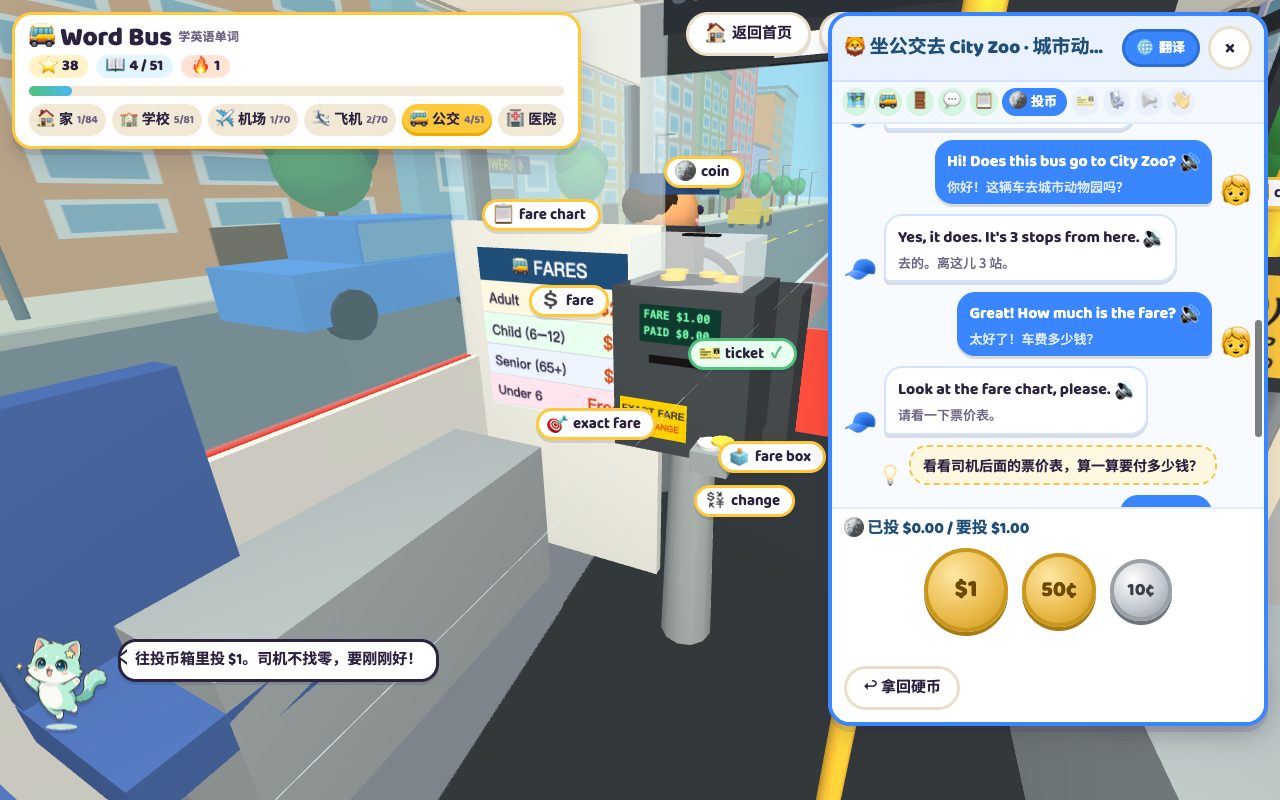
- Pay the exact fare with $1, 50¢ and 10¢ coins. The driver gives no change; put in too much and tap Take coins back to start again.
- Take the ticket, printed with the route, the stops and the fare.
- Find a seat: blue seats are ordinary, orange ones are priority seats for older people, pregnant passengers and anyone who needs help. The child should pick a free blue seat.
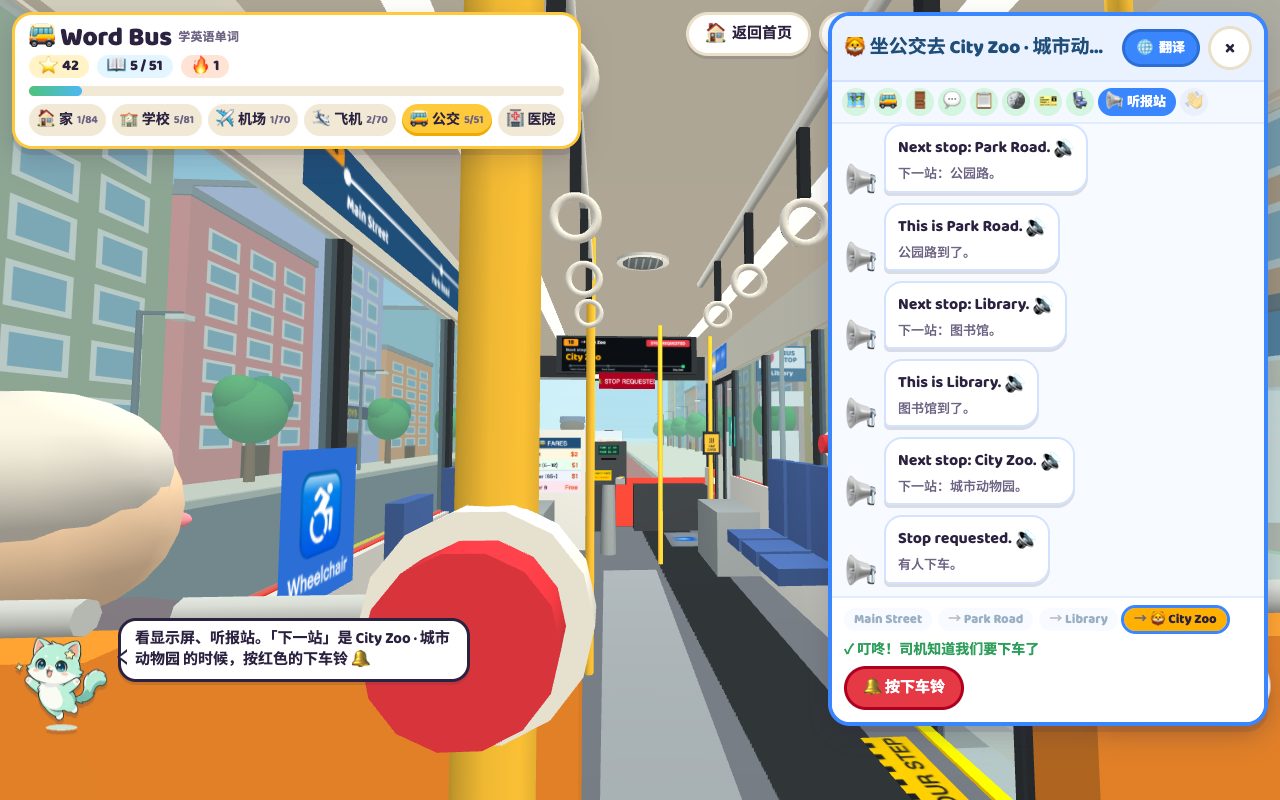
- Listen, press the bell, get off: once moving, the display and the speaker announce Next stop: Park Road. and Next stop: Library. Press the red stop button only when the next stop is the destination; pressing early brings a not-yet message. Get it right and the bus says Stop requested.; at the stop, leave by the back door.

4. The steps that matter most
Having played it with my own child, three steps stand out:
- Checking the destination sign: in real life, wrong buses happen because children jump on whatever arrives. Checking the sign first is a habit worth building.
- Working out the fare: reading a table, knowing Child, Senior and Under 6, then adding up — a neat English-plus-maths question.
- Timing the bell: listening to every announcement and pressing one stop early. Plenty of children miss exactly this on their first real ride.
5. After the ride
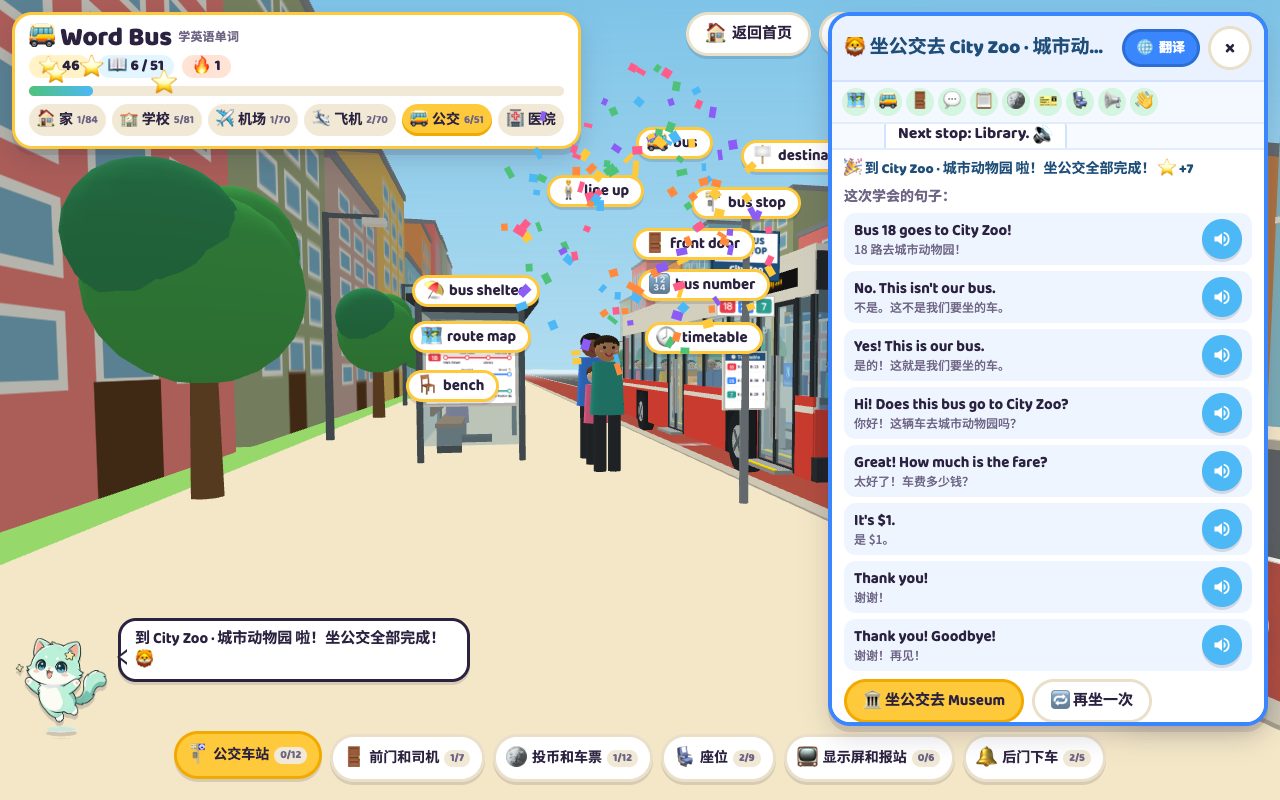
At the stop a completion card appears with the stars earned and every sentence used — Bus 18 goes to City Zoo!, Does this bus go to City Zoo?, How much is the fare?, Thank you! Goodbye! — each with a speaker button. Three buttons follow: ride to the next destination, ride again, or go somewhere else. Each destination changes the route and the fare question.
The bus runs in real time, so waiting and driving cannot be skipped; a full ride takes three to five minutes. Closing the panel midway ends the ride, and the next one starts again from choosing a destination.
6. Connecting it to a real ride
- Ride to all four destinations on screen.
- Before a real trip, look up the route number and the stop name together.
- On boarding, let the child ask Does this bus go to…? and pay.
- On the bus, the child listens to the announcements and presses the bell one stop early.
One ride on screen means a little less panic on the real bus. The next stop could be the Hospital, with 21 conversations for a doctor's visit.
Frequently asked questions
How many steps does the bus ride have?
11: route map, waiting, destination sign, getting on, asking the driver, asking the fare, working out the fare, paying, taking the ticket, finding a seat, and listening, pressing the bell and getting off.
How many destinations are there?
Four: City Zoo, Museum, Library and Beach. Each has its own route and fare question.
Why did the stop button not work?
It only counts when the next stop is the destination. Pressing early shows a not-yet message; wait for the announcement.
How long does one ride take?
The bus runs in real time, so a full ride takes about three to five minutes.