

All eight Word World scenes have a new interface: each scene opens with a start screen showing how many words are hidden there, how many you have found and the ways to play; panels are frosted glass, buttons are glossy, the room bar follows the room you are in, and the 3D lighting has more depth. The barber shop on the Street adds two dialogues, asking for a low fade and for a chin-length bob with layers and a side part, so the Street now has 18 dialogues instead of 16.
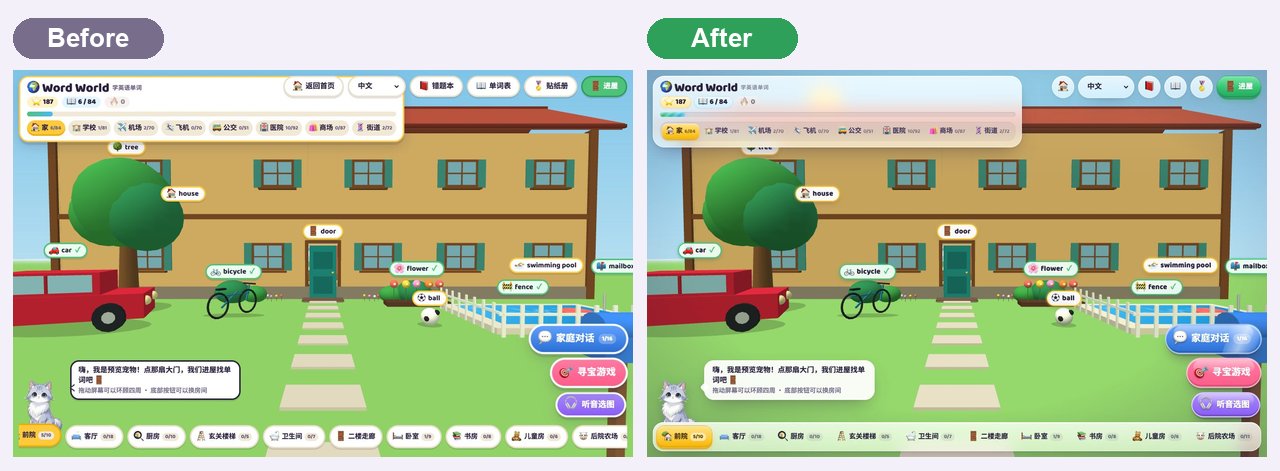
The first time a child opens Word World, the screen is full of buttons: a card at the top left, a row of buttons at the top right, big buttons at the bottom right and a row of rooms along the bottom. Everything works, but it does not quite feel like a game, and on a common 1280-pixel laptop the top-right buttons even covered the scene switcher at the top left. This update is aimed at making children want to start playing the moment they arrive, and all eight scenes (Home, School, Airport, Plane, Bus, Hospital, Mall and Street) share the new interface.
1. A new interface: frosted glass and jelly buttons
The old panels were white with thick yellow borders. They are now frosted glass, so the 3D scene shows faintly behind them, and the buttons are glossy jelly buttons with a highlight on top and a thicker bottom edge that sinks when pressed. In detail:
| Where | Before | Now |
|---|---|---|
| Status card, top left | Title, stars, progress and scene switcher each on their own row | On wide screens the title, stars and word count share one row; the scene switcher is a segmented strip with the current scene in yellow |
| Buttons, top right | Covered the scene switcher on laptops | Icons only when the screen is narrower, with the label on hover, so the two no longer overlap |
| Big buttons, bottom right | Flat coloured pills | Jelly buttons; a streak of light sweeps across the dialogue and treasure hunt buttons every few seconds |
| Room bar, bottom | Loose buttons; with many rooms the leftmost was cut off | A glass dock; it scrolls sideways when full and follows you to the room you are in |
| Word labels | White with a yellow border | Words you have not learned have a slowly spreading ring that invites a tap; learned words turn green with a tick |
The word card, dialogue panel, listen-and-pick quiz and sticker book got the same treatment. On a phone held upright the scene switcher becomes a row you can swipe and the room bar runs along the whole bottom edge; turned sideways, everything gets more compact to leave room for the 3D scene.
2. A start screen: see what is here, then begin
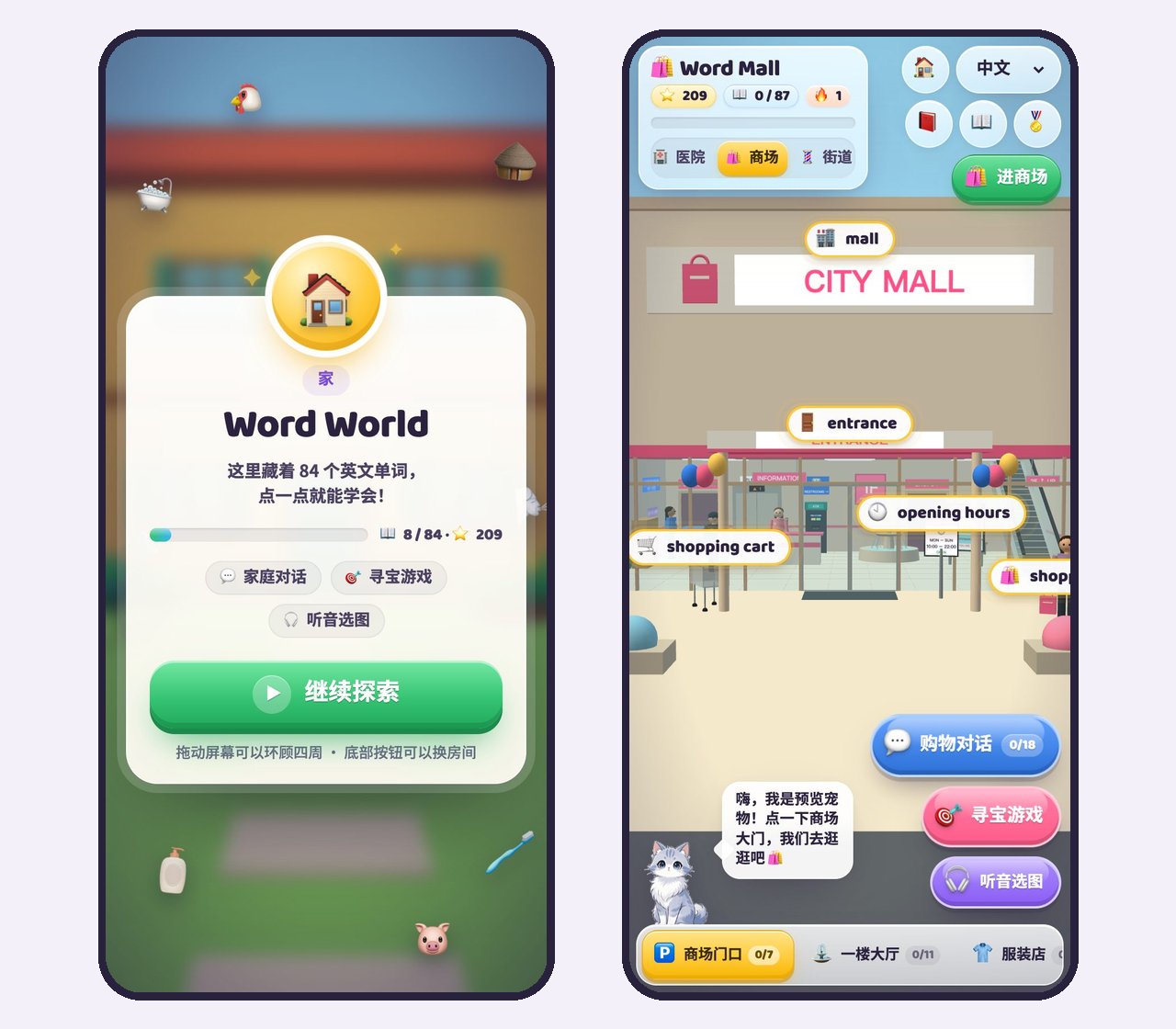
The first time each scene opens, a start card appears first:
- the scene icon and name, for example School and Word School;
- one sentence saying how many English words are hidden here (81 at the school, 87 at the mall);
- a progress bar with the words already found and the stars collected;
- the ways to play in this scene; the school, for example, has class talk, class quiz, maths, Year 7–11 subjects, the treasure hunt and listen and pick;
- a big Start exploring button, or Keep exploring if you have played before.
Things you can find in the scene float around the card; a few are picked at random each time, so at the school a piano, a test tube and a magnet might drift by. The word list and the 3D scene load behind the card, so the second or two of blank waiting is gone too. Pressing start zooms the card away, the buttons slide in from the edges, and a soft chime plays.
Phone browsers only let a page make sound after the user has tapped it once. Before, a child had to tap the screen somewhere before words were read aloud; now the tap on Start exploring switches the sound on.
Each scene shows its start screen once per browsing session: walking from Home to School shows the school's card, but reloading the same scene does not show it again.
3. Light and small details
The lighting in the 3D scenes has been rebalanced. The sunlight is warmer and stronger, the shaded side gets a touch of cool fill light, and the sides of walls and furniture now read more clearly, so objects look more solid. The corners of the picture are slightly darker, which draws the eye to the middle. Large flat surfaces such as the ground keep their brightness, so nothing is glaring.
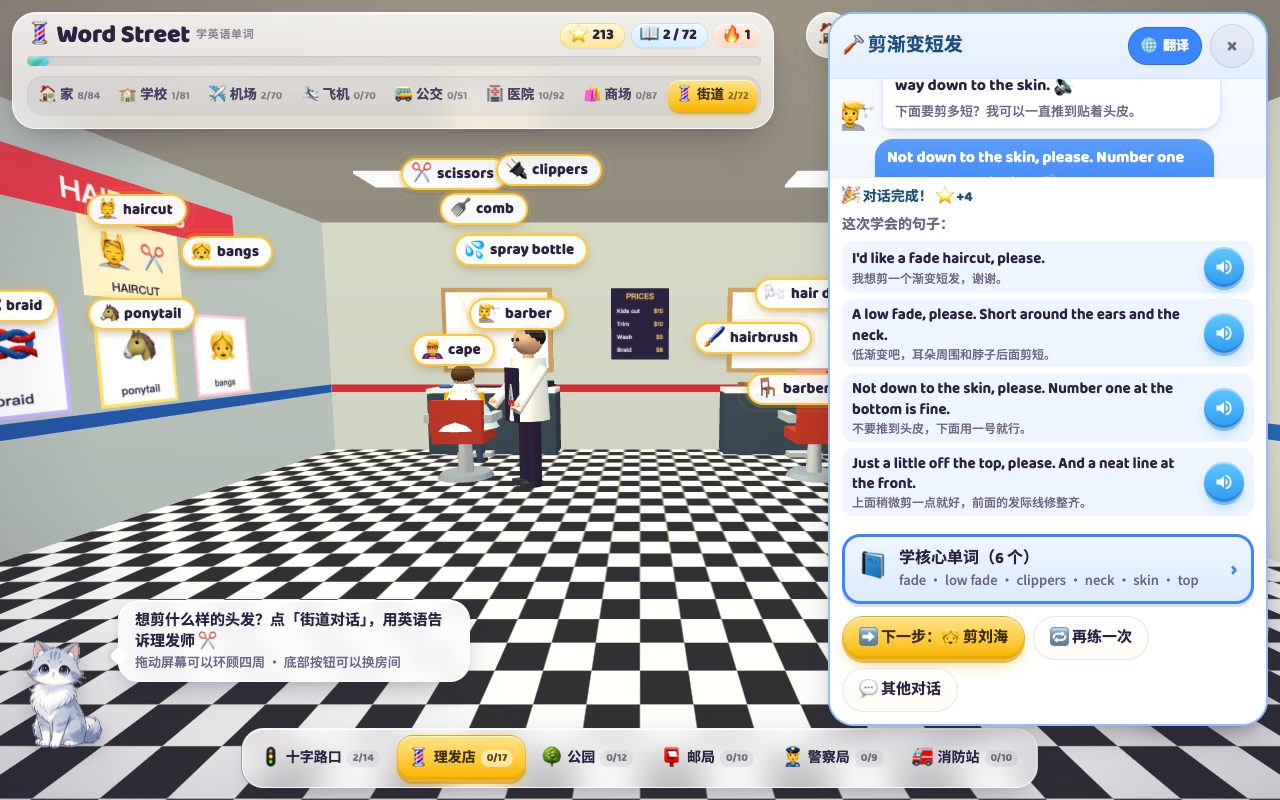
A few smaller changes: in scenes with many rooms (the school has 13 areas), the room bar scrolls by itself when you walk to the canteen or the playground at the far end; and the Chat button on word cards now opens the new haircut dialogues, clippers for the fade and hairbrush for the bob.
4. New barber dialogue one: a fade
A fade is one of the most popular haircuts for boys and men: very short above the ears and at the back of the neck, getting longer towards the top, with a smooth blend in between. Where the blend starts gives it its name:
| English | Meaning |
|---|---|
| low fade | Short only around the ears and the neck; the most common and the safest |
| mid fade | Starts getting short at about the height of the temples |
| high fade | Almost all of the sides are short, with length kept only on top |
| skin fade | Taken down to the skin at the bottom; a common term in the UK |
| taper | A blend only at the sideburns and the neckline; softer than a fade |
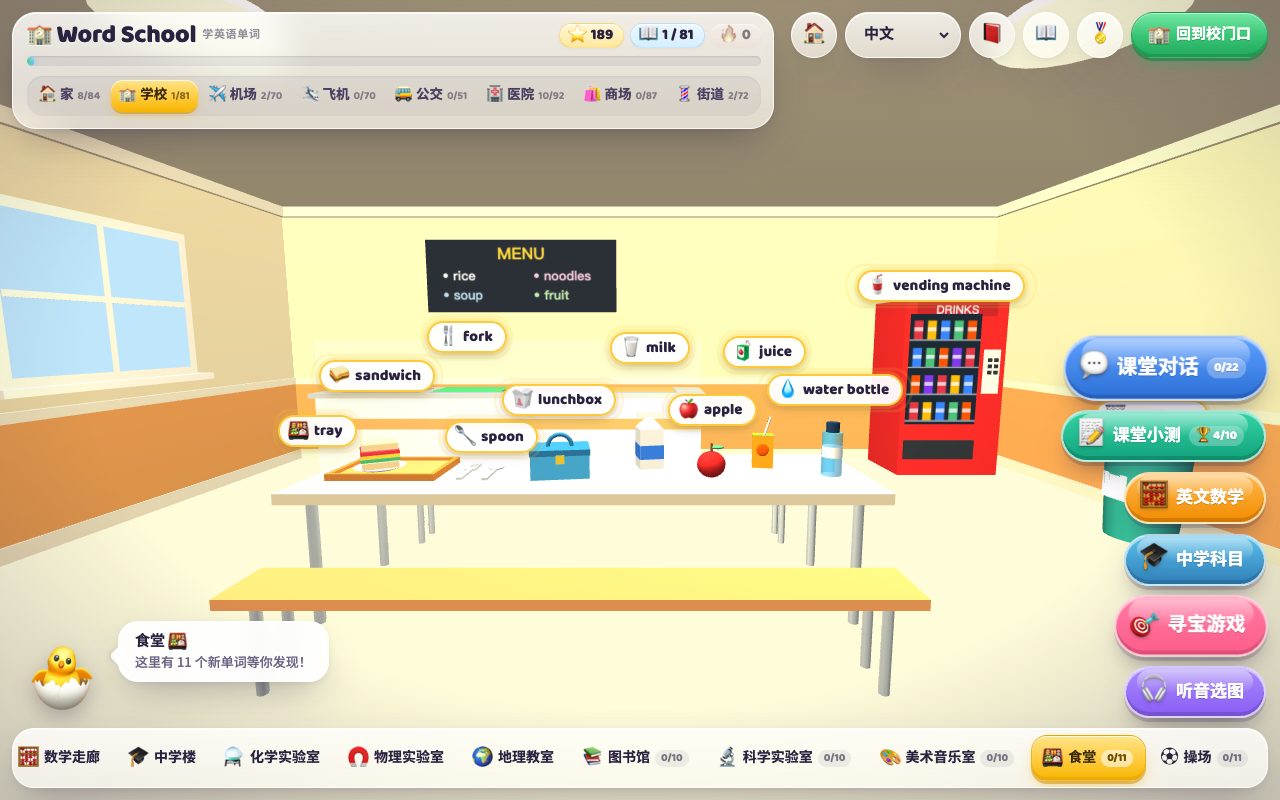
The barber asks four things in the dialogue, and these are the four answers to learn:
- What you want: I'd like a fade haircut, please.
- Which fade: A low fade, please. Short around the ears and the neck.
- How short at the bottom: Not down to the skin, please. Number one at the bottom is fine.
- What to do on top: Just a little off the top, please. And a neat line at the front.
Number one is the clipper guard size, and a smaller number cuts shorter. On common clippers a number one leaves about 3 mm (1/8 inch), a number two about 6 mm and a number three about 10 mm. If you are not sure the first time, ask for one size longer: hair cut too short cannot be put back.
5. New barber dialogue two: a bob
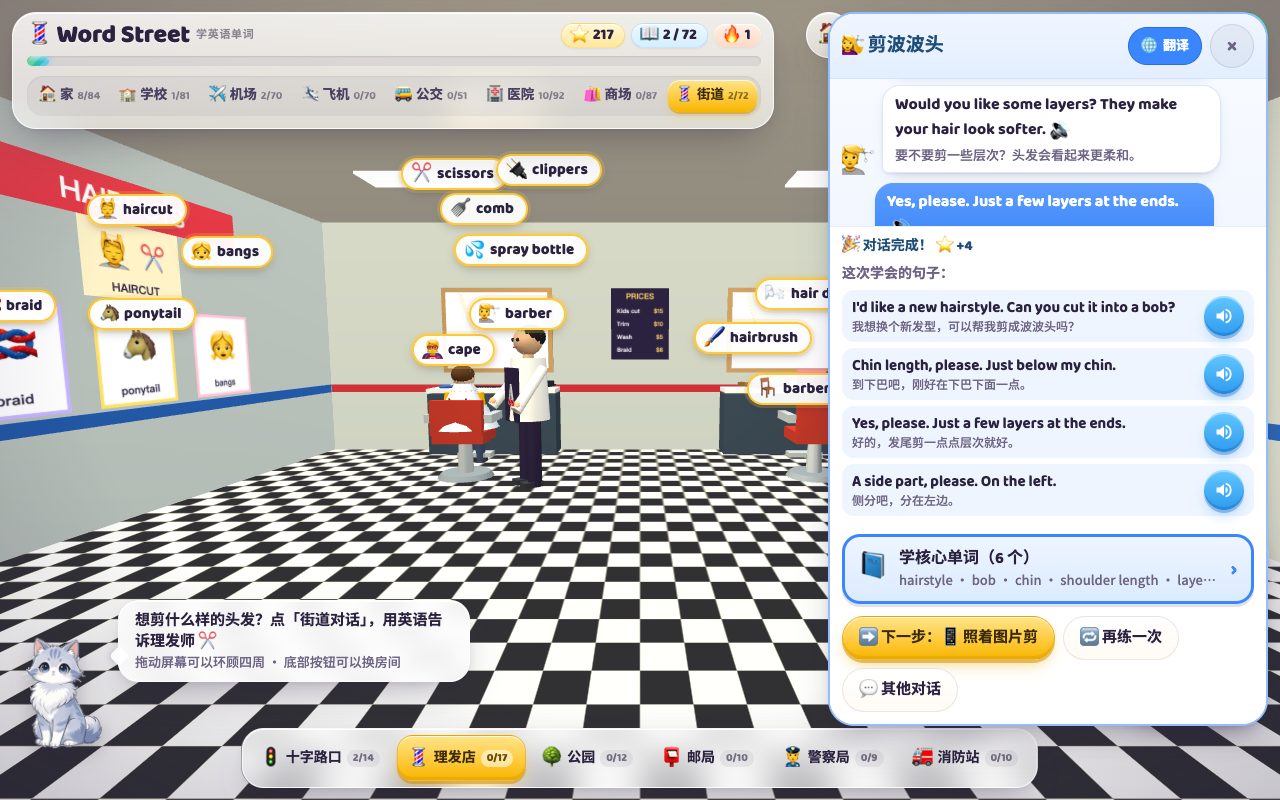
A bob is a short haircut, roughly the same length all round, somewhere between the chin and the shoulders. This dialogue practises three choices:
| The hairdresser asks | A good answer |
|---|---|
| How long? Chin length or shoulder length? | Chin length, please. Just below my chin. |
| Would you like some layers? | Yes, please. Just a few layers at the ends. |
| A side part or a middle part? | A side part, please. On the left. |
The opening line, I'd like a new hairstyle. Can you cut it into a bob?, is worth keeping too: a hairstyle is the look, a haircut is the act of cutting, so a new hairstyle is the right phrase when you want a change. Both dialogues end with Learn the key words, six words each: fade, low fade, clippers, neck, skin and top for the fade; hairstyle, bob, chin, shoulder length, layers and side part for the bob.
6. Haircut English at a glance: ten dialogues now
With these two, the barber shop in the Street scene has ten dialogues, enough for most of what a child needs to say at a haircut:
| What you mean | In English |
|---|---|
| Just tidy it up | Just a trim, please. |
| Short sides, longer top | Short on the sides and a little longer on top, please. |
| A fade | I'd like a low fade, please. |
| Bangs above the eyebrows | Just above my eyebrows, please. |
| A chin-length bob | Can you cut it into a bob? Chin length, please. |
| Like a photo | Can you make it look like this picture? |
| Growing it long | I'm growing it long. Just cut the ends, please. |
| A bit more off | It's a little too long here. Can you cut a bit more? |
A few words differ between American and British English: bangs and fringe, side part and side parting, middle part and centre parting.
7. How to use it
- A day or two before the next haircut, open the Street and play the dialogue that matches your child's haircut, the fade or the bob. It takes about three minutes.
- Then open Learn the key words and go through the six words by ear; misses go into the mistake book automatically, and the practice counts as the day's check-in.
- At the barber's, let your child say the first sentence. Whatever the barber asks next has almost certainly been practised in the dialogue.
Everyone sees the new interface. The haircut dialogues, like the other dialogues, start after a free GachaLex sign-up; looking at words and hearing them needs no account.
Frequently asked questions
What changed in this Word World update?
All eight scenes have a new interface: a start screen, frosted glass panels, jelly buttons, a glass room dock that follows the current room, and rebalanced 3D lighting. The barber shop on the Street adds two dialogues, a fade and a bob.
How do you ask for a fade haircut in English?
Say I'd like a low fade, please. A low fade is short around the ears and neck, a mid fade starts at the temples, a high fade takes most of the sides short, and a skin fade goes down to the skin.
How do you ask for a bob in English?
Say Can you cut it into a bob? and give the length: chin length or shoulder length. Ask for layers if you want a softer look, and choose a side part or a middle part.
Does the start screen appear every time?
No. Each scene shows it once per browsing session; walking into another scene shows that scene's card, and reloading the same scene skips it.